Check on Illumination System
 (https://www.daowen.com)
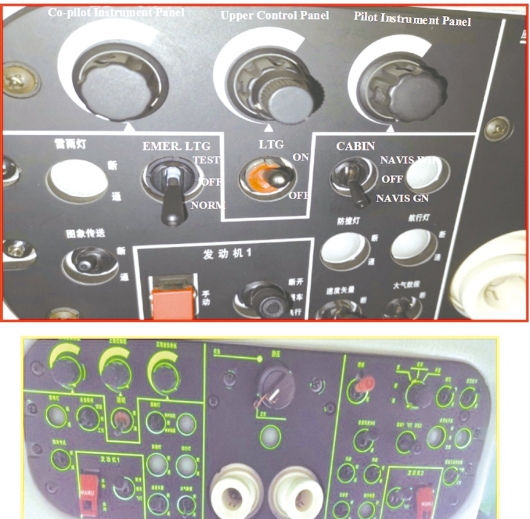
Set the emergency illumination switch to“NORM”position and main illumination switch to“ON”position;set the switch of cockpit illumination to“NVIS GREEN”and“NVIS WHITE”respectively;rotate the illuminating knobs for upper control panel and the instrument panel to the rightmost position.Check the illumination of the instrument panels,console,4α,5α and 12α panels and the extension lights.Switch on the landing light and indicator“LAND.LT”on 7α panel lights up,so does the landing light.Also,check the retraction and extension of the landing light(when there is a round-the-clock flight).
 (https://www.daowen.com)